Introduction: Adobe Firefly in 2025
Remember the first time you used the Clone Stamp in Photoshop and felt like a digital wizard? That sense of creative magic is back, but it’s evolved. Now, you can type a sentence like “a cyberpunk cat sipping tea in a neon-lit bookstore” and watch a stunning image materialize in seconds. This isn’t a glimpse of the distant future—it’s the creative reality of today, powered by tools like Adobe Firefly.
But in a crowded field of AI image generators, what makes Adobe Firefly stand out? Is it just another toy, or is it a serious, powerful tool for professionals? This complete guide for 2025 will cut through the hype. We’ll explore its best features, tackle the all-important pricing, see how it stacks up in the Adobe Firefly vs Midjourney debate, and answer the critical question every creator asks: “Can I use this for my client work?”
Whether you’re a seasoned graphic designer, a marketer, or a beginner-friendly explorer, this step-by-step review will equip you with everything you need to master Adobe Firefly AI. Let’s dive in.
What is Adobe Firefly? More Than Just an AI Image Generator
At its core, Adobe Firefly is a family of generative AI models created by Adobe, designed to integrate seamlessly into creative workflows. Think of it not as a single app, but as an AI-powered creativity engine built directly into the tools you might already use, like Photoshop and Illustrator.
Launched in 2023, Adobe Firefly was Adobe’s answer to the generative AI explosion. But unlike many competitors, Adobe leaned heavily on its legacy of serving creatives and businesses. The result? A toolset built with a focus on commercial use, ethical AI images, and workflow integration from the ground up.
Adobe Firefly’s initial flagship feature was its text-to-image AI generator, which allows you to create images from simple prompts. But it has rapidly expanded into a suite of specialized tools:
- Text to Image: The classic prompt-based image generation.
- Generative Fill: The revolutionary feature in Photoshop that lets you add, remove, or expand content non-destructively.
- Text Effects: Apply styles or textures to text using a description.
- Recolor Vectors: Generate new color palettes for your vector artwork with AI.
- 3D to Image: Transform 3D models into stylized images.
This integrated approach is what truly sets Adobe Firefly AI apart. It’s less about replacing the designer and more about augmenting their capabilities, removing tedious tasks, and sparking new ideas at unprecedented speed.

Adobe Firefly Features Deep Dive: What Can You Actually Do?
Let’s move beyond the buzzwords and look at the powerful tools that make up the Adobe Firefly AI tool suite. These features are designed to integrate into a real AI design workflow.
1. The Core Engine: Text to Image
The Adobe Firefly text-to-image generator is your starting point. You describe a scene, and Firefly generates four options. But it’s the controls that give professionals an edge.
- Content Types: Choose from Photo, Graphic, Art, or Design to steer the style.
- Aspect Ratios & Styles: Pre-set ratios for social media, print, or web, alongside artistic filters.
- Color & Tone: Input mood-based color words or hex codes.
- Lighting: Adjust from dramatic to soft.
- Composition: Control the camera angle and field of view.
This level of control moves it from a novelty to a precision AI graphic design tool.
2. The Game-Changer: Generative Fill & Expand
Perhaps the most impactful feature for existing Adobe users is Adobe Firefly generative fill. Integrated directly into Photoshop, it allows you to:
- Select any area of an image.
- Enter a text prompt (or leave it blank for contextual fill).
- Instantly replace or add content that blends seamlessly with the surrounding pixels.
Need to remove a photobomber? Extend a background for a different crop? Add a realistic object? This feature, which many learn through an Adobe Firefly generative fill tutorial, is revolutionizing photo editing and compositing.
3. The Specialty Tools: Text Effects, Recolor, and More
- Adobe Firefly text effects let you type a word and then describe the material it should be made of—“molten gold,” “crocheted yarn,” “frosted glass.” The AI applies it convincingly.
- Recolor Vectors is a godsend for designers exploring palettes. Upload an SVG and describe a new color theme (“sunset colors,” “corporate blue and grey”).
- Background Generator: While not a standalone tool, using text to image or generative fill with prompts like “blurred bokeh office background” or “abstract geometric pattern” makes Firefly an incredible Adobe Firefly background generator.
4. The Professional Edge: Integration & Formats
This is where Adobe Firefly shines for AI for creatives. Your generated images aren’t stuck in a web app. They come with layers, masks, and are fully editable as Creative Cloud AI assets. You can generate a concept in the web app, open it in Photoshop with layers intact, and refine it with all the professional tools at your disposal. This seamless AI-powered Photoshop workflow is a massive productivity booster.

Adobe Firefly Pricing and Plans for 2025: Is It Free?
This is the million-dollar question for most users. Let’s break down Adobe Firefly pricing clearly.
The Free Tier: Adobe Firefly Free
Yes, Adobe Firefly is free to use… to an extent. Adobe offers a generous free plan that allows you to explore the core web-based tools.
- You get a monthly allotment of Fast Generations (currently 25/month).
- When those run out, you can still generate images using slower Standard Generations, which have no limit.
- Critical Limitation: Images generated on the free plan come with a Content Credentials tag. This is an “AI-generated” label embedded in the metadata. More importantly, for commercial AI images, the license is more restrictive.
Paid Plans: Unlocking Professional Use
To use Adobe Firefly professionally, you need a paid plan, which is included with most Adobe Creative Cloud subscriptions.
- Creative Cloud All Apps: If you subscribe to the full suite (Photoshop, Illustrator, etc.), you get 1,000 Fast Generations per month.
- Firefly Premium Plan: For those who don’t need the full Creative Cloud, this standalone plan offers the same generative credits and, most importantly, the commercial license.
- Enterprise/Business Plans: Tailored for teams with additional admin controls and indemnification.
Adobe Firefly commercial use explained: Paid plans grant you a license to use, modify, and sell the output images commercially, which is why asking “Is Adobe Firefly safe for business use?” is so crucial. Adobe also provides an indemnity for enterprise customers against certain IP claims, a testament to their ethical AI training approach.
The Great AI Showdown: Adobe Firefly vs Midjourney & DALL-E
No review is complete without a comparison. How does Adobe Firefly AI stack up against the other giants?
Adobe Firefly vs Midjourney
- Style & Output: Midjourney is often praised for its incredibly artistic, detailed, and sometimes surreal outputs. It excels in imaginative, painterly styles. Adobe Firefly leans towards more photographic, realistic, and commercially viable imagery. It’s designed to look like stock photography or professional graphics you’d use in a real project.
- Workflow & Integration: Midjourney operates within Discord, a unique but sometimes clunky interface. Adobe Firefly is integrated directly into Adobe’s ecosystem (web and desktop apps), fitting into an existing professional workflow.
- Ethics & Licensing: Adobe Firefly was trained primarily on Adobe Stock, publicly licensed, and public domain content, making its copyright-safe AI stance a major selling point. Midjourney’s training data has been more controversial.
- Use Case: Choose Midjourney for stunning, unbounded concept art and exploration. Choose Adobe Firefly for designers who need practical, editable, and license-safe assets for client work.
Adobe Firefly vs DALL-E
- Access & Pricing: DALL-E (via ChatGPT or its API) has a straightforward credit system. Firefly’s pricing is bundled with Creative Cloud or as a standalone.
- Realism & Control: DALL-E 3 is excellent at interpreting complex prompts with high accuracy. Firefly offers more granular visual controls (lighting, composition, aspect ratio) directly in its interface.
- Integration: DALL-E is an external tool. Firefly’s integration with Photoshop (Generative Fill) is its killer feature for Adobe users.
- The Verdict: DALL-E is a fantastic, general-purpose text to image AI. Adobe Firefly is a specialized generative design AI tool for the Adobe-centric creative professional.
A Step-by-Step Guide: Your First AI Image with Adobe Firefly
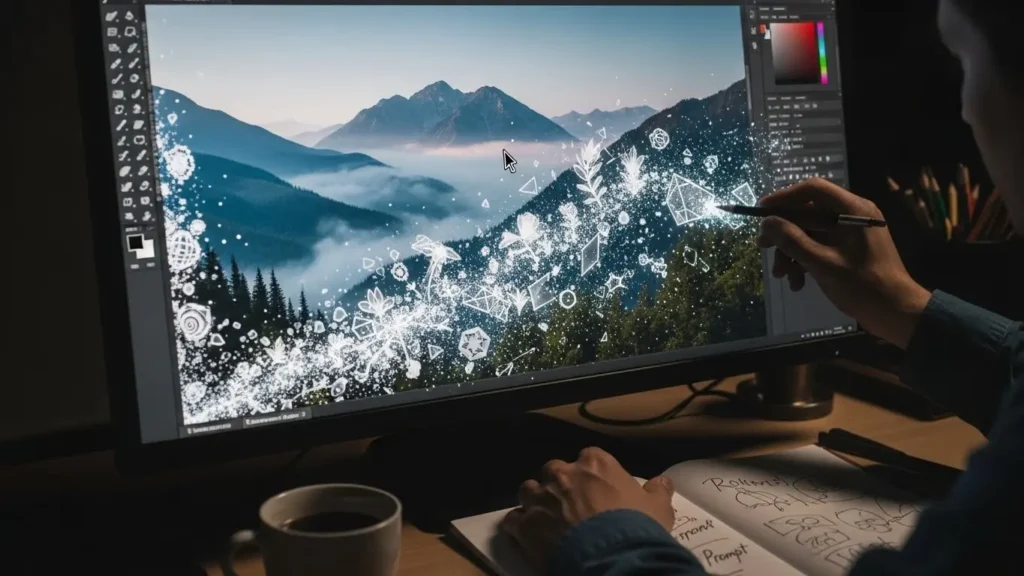
Let’s make this practical. Here’s a beginner-friendly, step-by-step tutorial on using the Adobe Firefly text-to-image generator.
Step 1: Access the Tool
Go to firefly.adobe.com and sign in with your Adobe ID (you can create one for free).
Step 2: Craft Your Prompt
This is the key to Adobe Firefly best prompts. Be descriptive. Instead of “a dog,” try “a fluffy golden retriever puppy sitting in a sunlit field of daisies, shallow depth of field, photorealistic.”
Step 3: Apply Settings (The Pro Touch)
- Select Content Type: “Photo.”
- Choose an Aspect Ratio: “Square (1:1)” for Instagram.
- Pick a Style: “Photographic.”
- Add a Color & Tone: “Warm, bright.”
- Set Lighting: “Natural.”
Step 4: Generate and Refine
Click “Generate.” You’ll get four options. You can:
- Choose your favorite.
- Click the circular arrow on any image to generate new variations.
- Use the “Edit” button to tweak your prompt and settings for a re-roll.
Step 5: Download or Open
Once satisfied, download your image as a PNG or JPEG. If you have a paid plan, you can “Open in Photoshop” as a layered file for further refinement.
This Adobe Firefly tutorial basic workflow applies to most of its tools. The key is iterative refinement—using the AI as a collaborative partner.
Is Adobe Firefly Worth It? A 2025 Verdict for Different Users
So, after all this, should you use Adobe Firefly?
For the Professional Graphic Designer: A Must-Use Tool
Absolutely. If you’re already in the Adobe ecosystem, Firefly (especially Generative Fill) is a transformative timesaver and idea generator. The seamless workflow, editable outputs, and commercial safety make it an invaluable part of the modern AI design workflow. The integration with Photoshop alone is worth the price of admission for many.
For Marketers & Content Creators: A Powerful Ally
Yes. The ability to quickly generate concept visuals, social media graphics, or safe-to-use stock-like imagery is a massive advantage. The background generator and text effects features are particularly useful for creating engaging content fast.
For Hobbyists & Beginners: A Fantastic Starting Point
Definitely. The free tier offers a risk-free way to explore AI art generation. Its interface is cleaner and more guided than many competitors, making it an excellent Adobe Firefly AI for beginners. As your skills grow, you can graduate to the paid plans for commercial projects.
For Artists Seeking Pure, Unbound Creativity: Maybe Not the Only Tool
Consider it a supplement. If your primary goal is to create highly stylized, artistic pieces, you might find tools like Midjourney more inspiring. However, Firefly can still be a fantastic tool for generating base assets or textures to incorporate into your work.
Conclusion: The Future of Creativity is Integrated
Adobe Firefly represents a significant shift in the generative AI landscape. It’s not just about generating a pretty picture from text; it’s about weaving AI-powered creativity directly into the fabric of the professional creative process. Its strengths are clear: a focus on ethical AI images, a seamless AI design workflow, and tools that feel like natural extensions of software creatives already know and trust.
Ready to try it yourself? Head to to start your free exploration. And if you’re a Creative Cloud subscriber, open Photoshop today and experiment with Generative Fill—you might just rediscover that feeling of creative magic.
While it may not always win in a direct Adobe Firefly vs Midjourney stylistic showdown for pure fantasy art, it stands virtually unmatched as a practical, powerful, and safe engine for professional visual creation. As Adobe Firefly AI continues to evolve in 2025 and beyond, one thing is certain: the line between human imagination and digital manifestation has never been thinner, and Adobe has built a formidable bridge between the two.
Related Topic:
- Best IMAGE & DESIGN Platform 2025
- Color Theory & Psychology A Very Detailed Guide 2025
- Midjourney in 2025: A Guide to AI Art Generation
- 5 Best AI Image Generator Tools in 2025
- The Best AI Clothes Remover Tools Complete Ethical Guide (2025)
- BEST AI TOOLS IN 2025
- RELATED TOPICS ABOUT IMAGE & DESIGN
- BEST BLOGS ON AI TOOLS
- ABOUT US SMARTTOOLBLOG
- CONTACT US SMARTTOOLBLOG
Frequently Asked Questions (FAQ)
Q: What is Adobe Firefly?
A: Adobe Firefly is a family of generative AI models created by Adobe, focused on safe, commercially-viable image generation and editing tools that integrate directly into Creative Cloud apps like Photoshop.
Q: Is Adobe Firefly free?
A: Yes, there is a free tier with limited “Fast” generations and unlimited “Standard” generations. However, for full commercial usage rights and more credits, a paid Creative Cloud or Firefly Premium plan is required.
Q: Can I use Adobe Firefly images commercially?
A: You can only use images generated on a paid Adobe Firefly or Creative Cloud plan for commercial purposes. Images from the free plan have usage restrictions. Always check Adobe’s official Terms of Use for the latest details.
Q: How does Adobe Firefly work?
A: Firefly uses a machine learning model trained on hundreds of millions of images from Adobe Stock, openly licensed content, and public domain works. It learns the relationships between text descriptions and visual elements to generate new, original images based on your prompts.
Q: Is Adobe Firefly better than Midjourney?
A: “Better” depends on your needs. Midjourney often excels at artistic, detailed styles. Adobe Firefly is optimized for realistic, commercially-safe imagery and seamless integration into professional design workflows. For most working designers, Firefly’s integration is a decisive advantage.